7-day free trial, then £3.50 a month

Draw sound.

If you can draw, you can write music.

Make scores with lines, shapes, colour and words, right in your browser.
Draw what you want to hear, set it against time, and share it with your performers as a printed score, separate parts or a play-along video.

Nothing to install. Works on a laptop, desktop computer or iPad.

New to graphic scores? Start here

Made for

  • Composers
  • Performers
  • Ensembles
  • Teachers
  • Workshop leaders
  • Sound artists

Timeline

Every mark has a place in time.

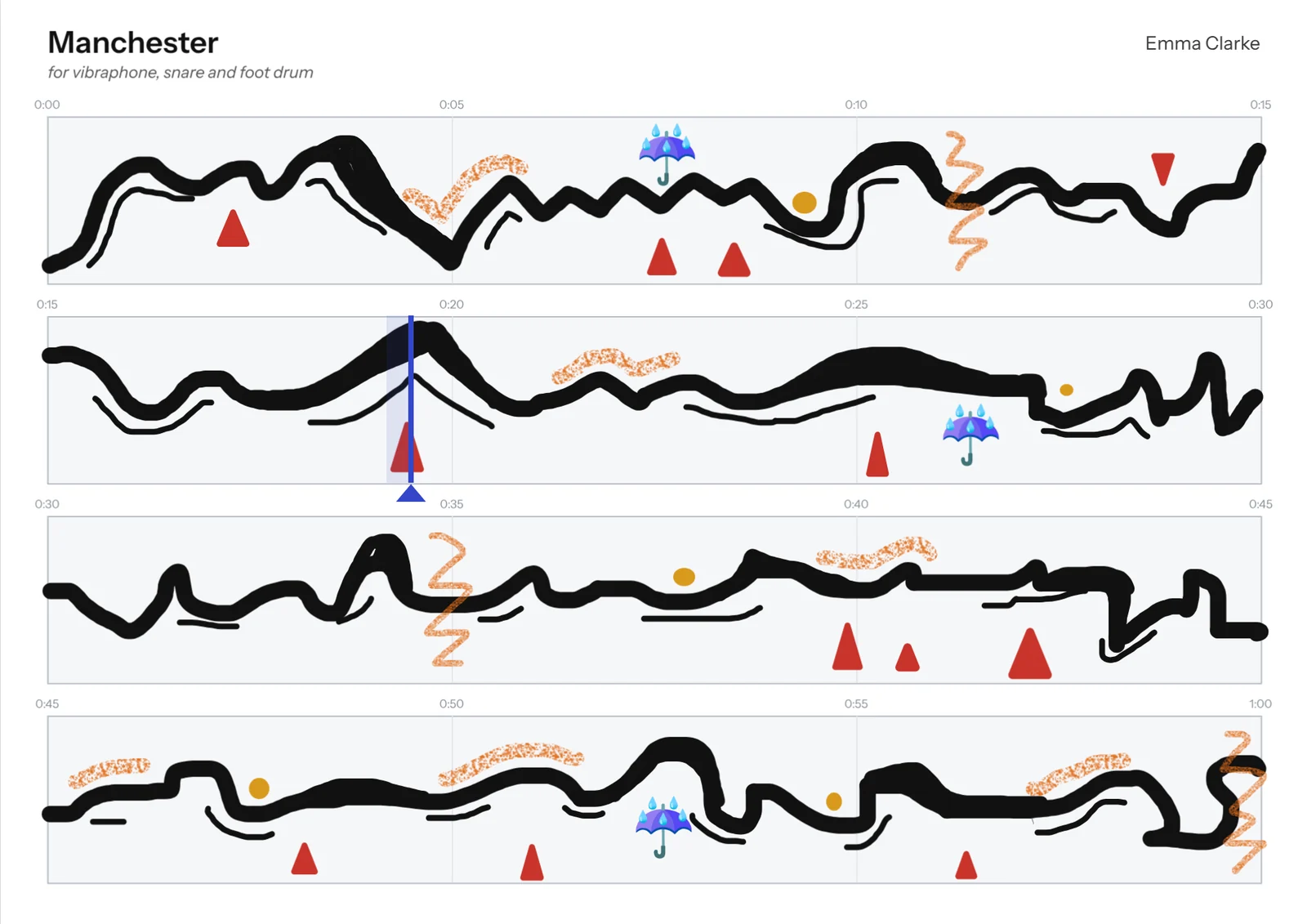
Choose how many seconds each page lasts and HUBBUB draws the timeline for you. Add a lane for each performer, snap marks to the grid and add as many pages as the piece needs. Writing for one performer? Solo mode reads each page line by line, like staves.

Manchester, a solo graphic score by Emma Clarke for vibraphone, snare and foot drum, in solo mode: four lines of fifteen seconds each, with the playhead partway along the second line.

Pens

Pens that feel like pens.

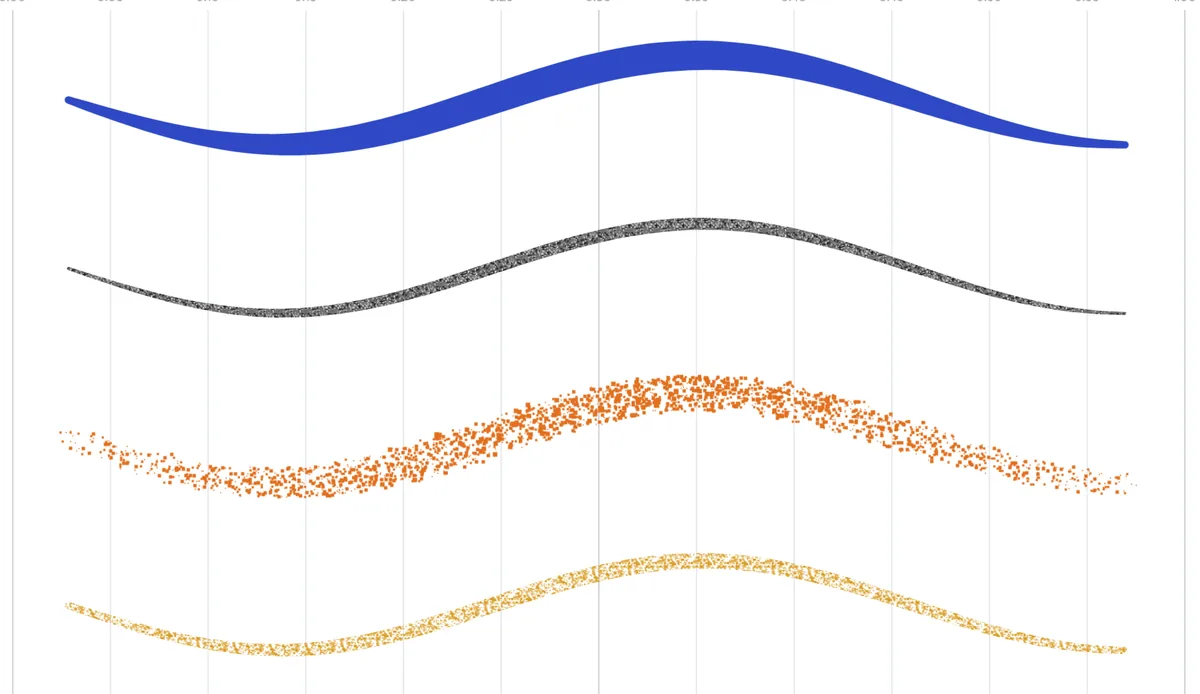
Smooth ink, pencil, spray and chalk, in twelve colours or any colour you like. With an Apple Pencil or another stylus, press harder for bolder, denser marks. A stabiliser irons out shaky lines, and you can drag the end of any stroke to carry it on.

Four strokes drawn with pressure: blue ink that swells in the middle, grainy pencil, orange spray and ochre chalk.

Timing

See how your score unfolds in time.

Press Play and a playhead moves through your score in real time, turning the pages as it goes. Loop a page, add a count-in or play a recording or film alongside. When it's ready, make a play-along video for your performers.

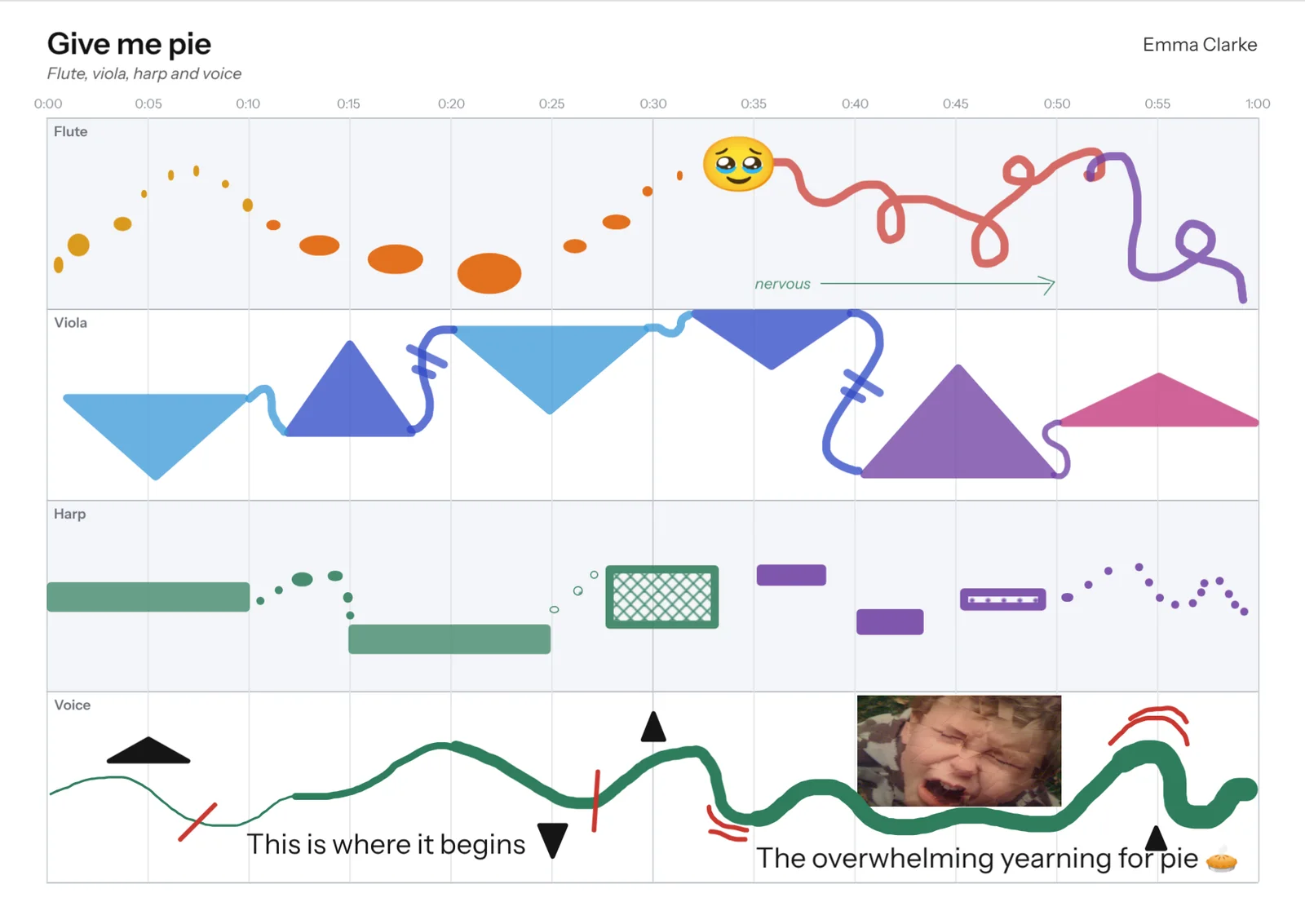
Give me pie with a red playhead moving across it after a count-in.

Print

Full score and parts in one go.

Export the full score as a PDF, with a separate part for each lane. Your performance notes and legend print with it. You can also save a PNG or an editable SVG.

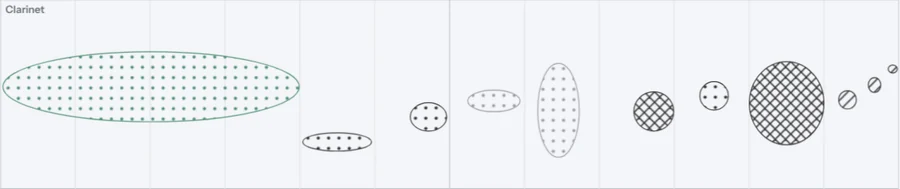
Part · ClarinetThe clarinet part of Monday morning
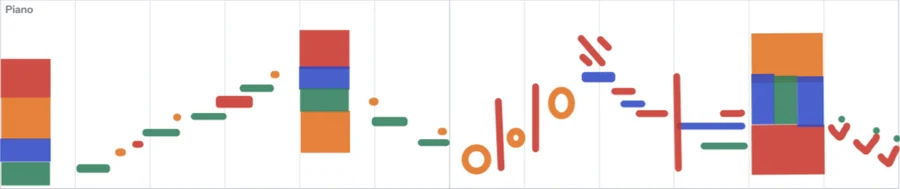
Part · PianoThe piano part of Monday morning
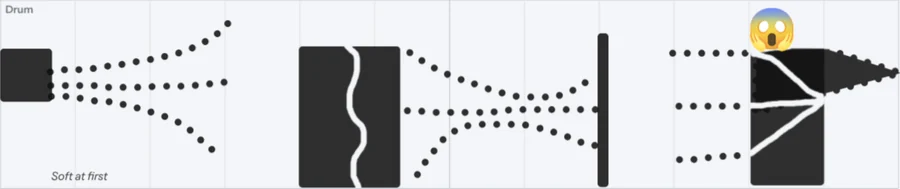
Part · DrumThe drum part of Monday morning

My scores

Every score, saved as you work.

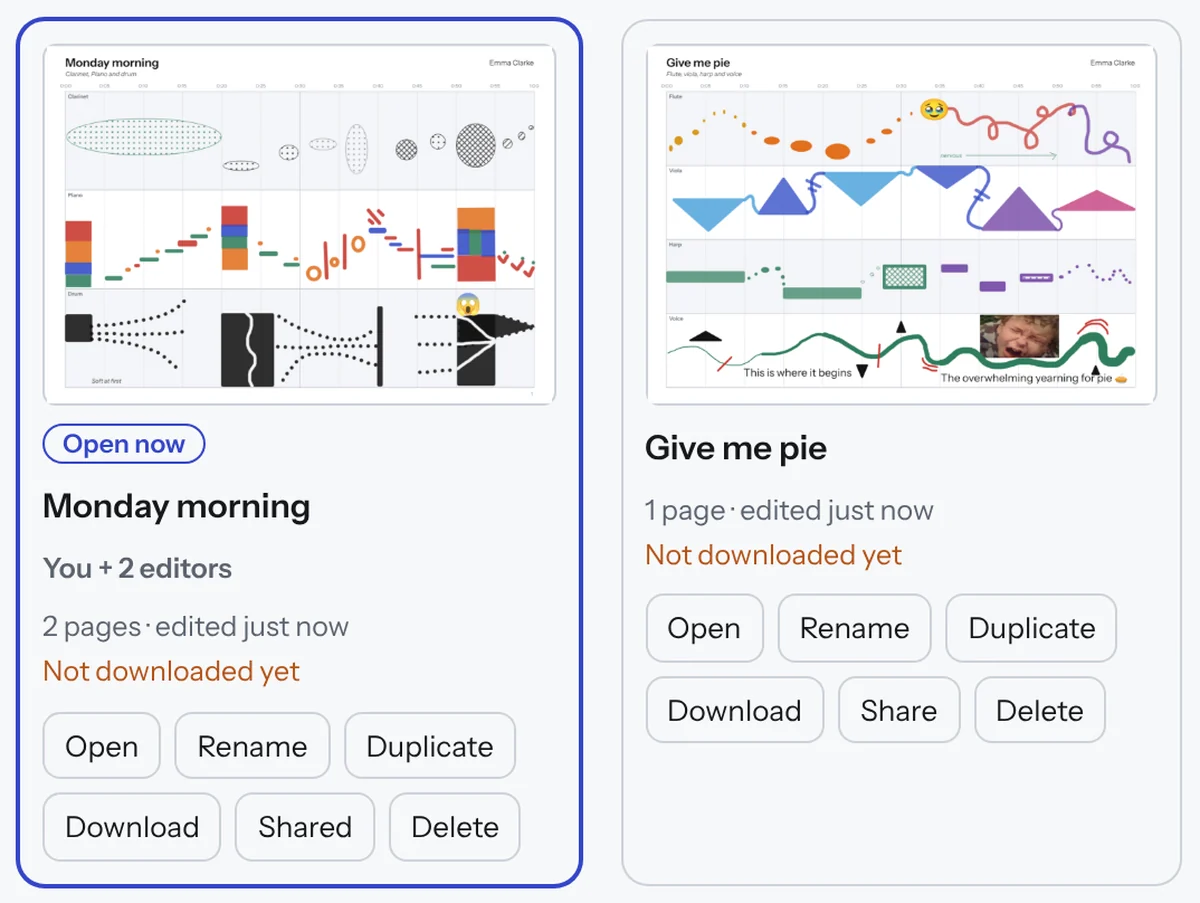
Keep as many scores on the go as you like. Every change saves automatically. Share any score with a link, or download a .hubbub file to back it up.

The My scores page showing Monday morning, shared with two editors, and Give me pie, with buttons to open, rename, duplicate, download, share and delete.

Share and collaborate

Send a link. Write it together.

Share a view-only link: anyone can open the score, play along and print their part, no account needed. Or invite up to five people to edit with you, one at a time, so nobody's work is overwritten.

And the things you'll reach for next.

Bend anything

Pull the side of a shape, a line or a pen stroke into a curve.

Images and words

Drop in photos, scans or symbols, and set text in four typefaces.

A legend

Explain your symbols once. The key prints with the score.

A real eraser

Rub out only the part of a mark you pass over.

A viewer for performers

Performers open your link or score file in the free viewer to play along and print their part.

Quick to use

Undo, zoom, layers and keyboard shortcuts.

Pricing

Every feature, on every plan.

Try everything free for 7 days. We ask for card details at the start and remind you before the trial ends. Cancel any time in a couple of clicks.

Monthly

£3.50a month

Pay as you go. Cancel whenever you like.

Start your free trial
Best value

Annual

£35a year

Two months free compared with paying monthly.

Start your free trial
For organisations

Institutions

10+people

For conservatoires, universities, schools, ensembles and music groups. One annual invoice.

Ask about a licence

Monthly and annual plans are for individuals. Organisations can choose a group licence, with members joining through their work email or a private link. Schools can license HUBBUB for teachers now, and pupils can use the free viewer. Child‑safe pupil accounts are on the way: ask us if your school is interested.

  • You own your scores. Everything you make is yours, always.
  • Nothing is lost if you stop. When a plan ends, your scores become read-only. You can still open, export and download them.
  • No ads, no tracking. Your data is never sold or used to train AI.

Questions

Good to know.

Do I need to read music?

No. In HUBBUB you compose with lines, shapes, colour and words, set against a timeline. If you can draw, you can write music. Trained composers use it too, for sounds that standard notation can't capture.

What do I need to use it?

A laptop, desktop computer or iPad with an up-to-date web browser, such as Chrome, Safari, Edge or Firefox. There's nothing to install. Phones are fine for viewing scores, but small for drawing them.

Do my performers need to pay?

No. Send them a view-only link, or a .hubbub file to open in the free viewer. They can watch the score play, follow along and print their own part, without an account.

What happens after the free trial?

We ask for card details when you start your trial and remind you before it ends. If you don't cancel, your plan starts at £3.50 a month or £35 a year.

Can I cancel?

Yes, any time, in a couple of clicks under Account, then Plan and billing. If you cancel within 14 days of your first payment or an annual renewal, you can ask for a full refund of that payment. Your scores become read-only, so you can still open, export and download them. Cancellation and refunds

Who owns my scores?

You do. Everything you make in HUBBUB is yours, and you can download any score as a .hubbub file at any time.

Is my data safe?

HUBBUB's database is hosted in the European Union. There are no ads and no tracking, and your data is never sold or used to train AI. Privacy

Can I use HUBBUB with a class or ensemble?

Yes. Organisations of ten or more can have a group licence on one annual invoice. Schools can license HUBBUB for teachers now. HUBBUB for schools

I'm writing for one performer. Do I need a whole page per minute?

No. Switch on solo mode in the Lanes panel and each page becomes two to six lines, read one after another like staves. The playhead follows them down the page, so a solo piece fits on far fewer pages.

Can I use a recording or film as a guide?

Yes. Add a reference recording or film and it plays in time with the playhead. It stays on your computer and isn't uploaded.
Emma Clarke, smiling, in round tortoiseshell glasses, at her desk by a window in Manchester.

Who makes HUBBUB

Made by a composer.

“I couldn’t properly notate a complex piece I’d written for choral speech. The workflow was getting in the way of the creative process, so I built a graphic score editor.”

I'm Emma Clarke, a broadcaster, voice actor, composer, writer and visual artist based in Manchester, UK, and a part-time PhD candidate at the Royal Northern College of Music. I make graphic scores as compositions and as art prints.

Got a sound in your head? Draw it.

Start your free trial