A short introduction
What is a graphic score?
A graphic score is music written as pictures: lines, shapes, colours and words that performers read and turn into sound.
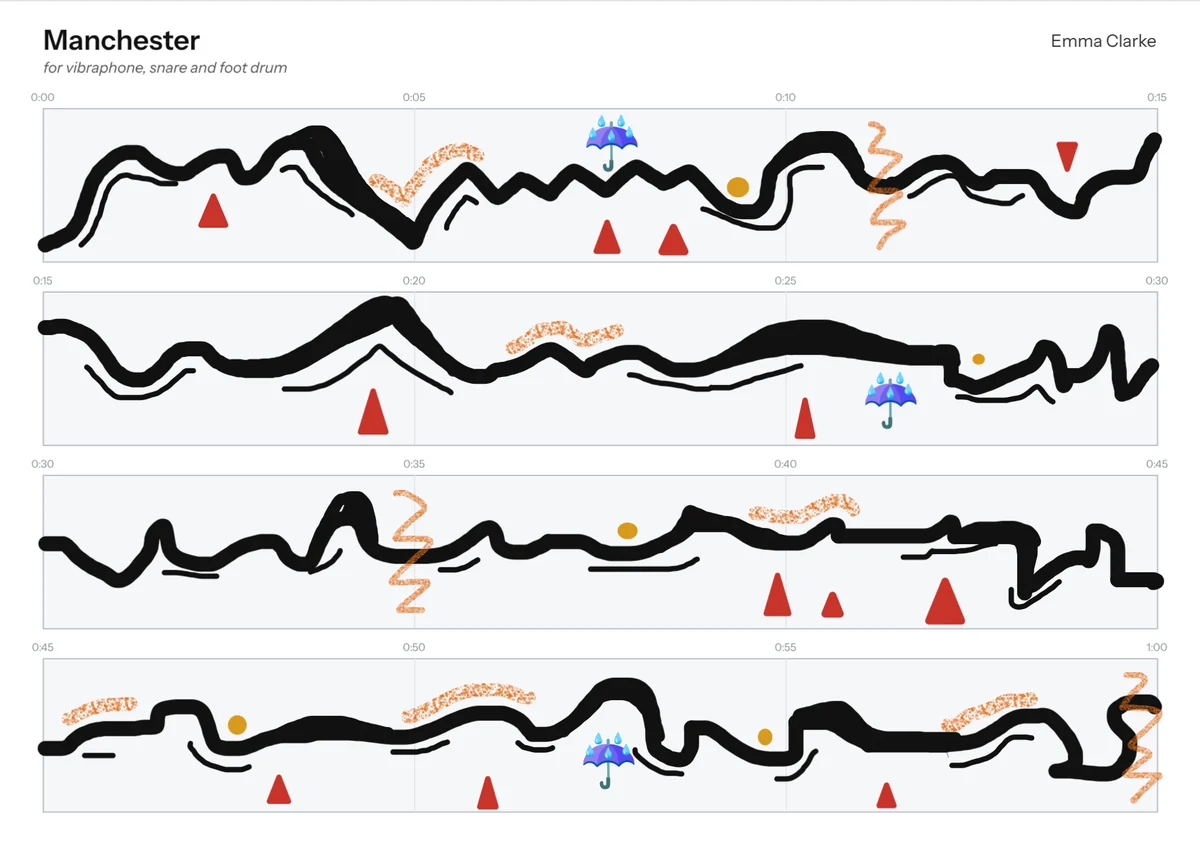
Music you can see
In standard notation, every note has a fixed pitch and length. A graphic score works differently. A rising line might be a sound that climbs. A thick block might be something loud or dense. Scattered dots might be short, separate sounds. The composer suggests mood, texture and shape, and the performer brings it to life.
That leaves room for interpretation, which is the point. Two performances of the same graphic score can sound quite different, and both can be right.
In her podcast What Colour Is Silence?, Emma Clarke describes a graphic score as a way of capturing what sound feels like, somewhere between hearing and seeing.
Where they came from
Composers have been writing graphic scores since the 1950s. A few well-known examples:
- Earle Brown, December 1952: a single page of black rectangles of different sizes, which performers can read in any direction.
- John Cage, Fontana Mix (1958): transparent sheets of lines and dots that are laid over each other to make a score.
- Cornelius Cardew, Treatise (1963 to 1967): 193 pages of lines, shapes and symbols, with no instructions for how to play them.
- Cathy Berberian, Stripsody (1966): a piece for solo voice drawn like a comic strip, full of sound effects.
Why composers use them
- Sounds that notation struggles with, such as speech, breath, extended techniques, electronics and found sounds.
- Freedom for performers, who become collaborators rather than just following instructions.
- Room for everyone, because you don't need to read music to write or perform one.
How to read one
- Find the timeline. Most graphic scores read from left to right, like text.
- Look for a key. Many composers include a legend explaining what their symbols mean.
- Read the performance notes. These tell you how long the piece lasts and how free you are.
- Trust your instincts. Size, colour and position often suggest loudness, character and pitch, but the composer decides.
Make your own
HUBBUB is a graphic score editor that runs in your browser. Draw marks against a timeline, give each performer a lane, press Play to watch it unfold, then print the score and parts or make a play-along video. See how it works, or browse some examples.
Listen to Emma's podcast episode An introduction to graphic scores on Substack.